
The AI web chat that captures the visitors your website lets walk away
Your site had a visitor ten seconds ago: a question, no answer, gone. Iris AI web chat opens the conversation on arrival, answers from your information, qualifies them, and captures the lead around the clock. No chat queue, no empty widget.
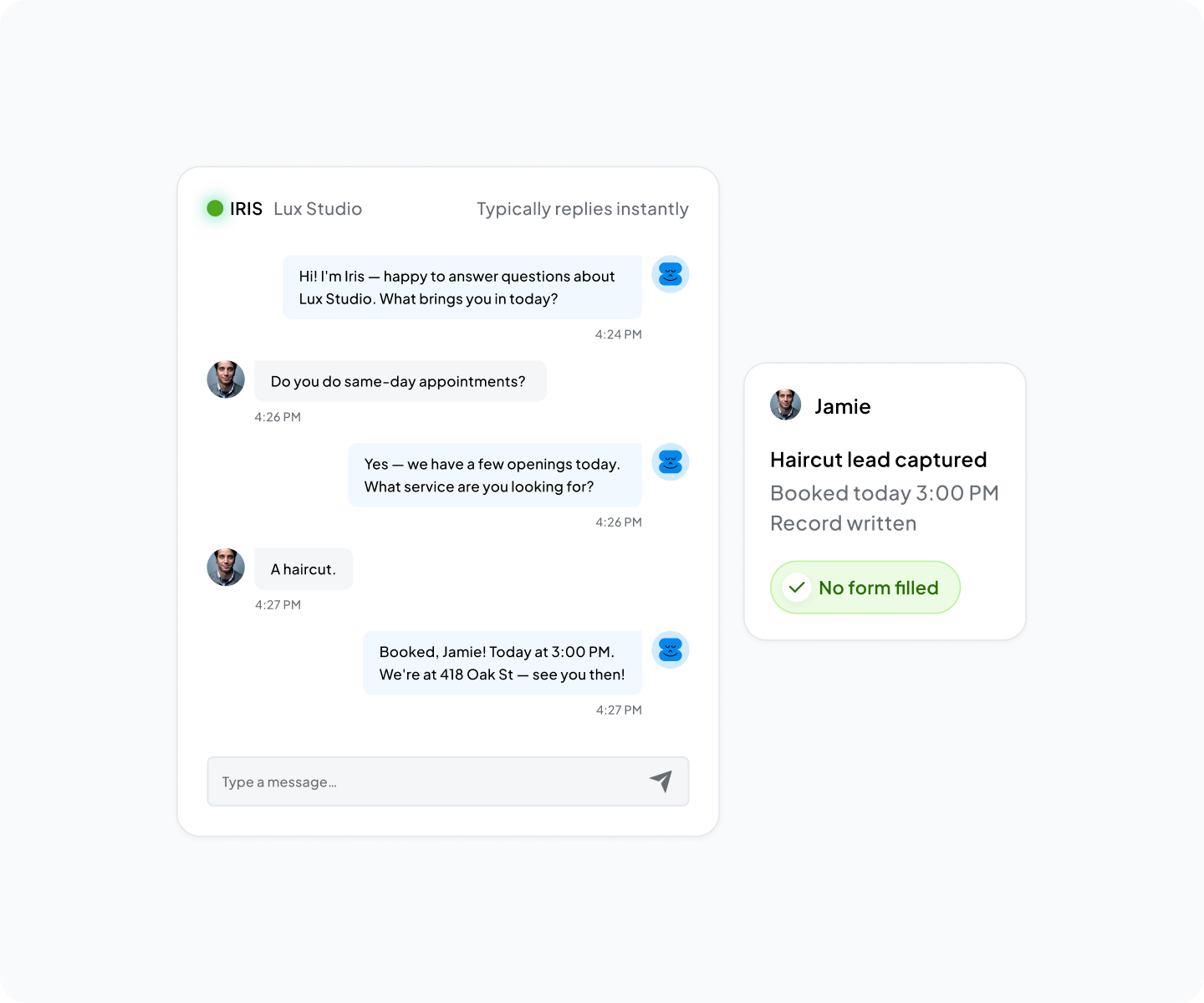
Your website is busiest at the exact moment
You spend real money getting people to your site. Ads, SEO, content, referrals. Then they arrive, look around, and most of them go. Not because the product is wrong. Because nobody answered the question between a visitor and a conversation. The traffic is not the problem. What happens after they land is.

They leave silently
A visitor reads a page, gets no quick answer, and clicks away. No missed call, no voicemail, no record. The lead was lost before your system saw it.

The contact form makes them wait
A form says "send us your question and we will get back to you." The buyer wanted an answer now. By the time anyone replies, they found someone faster.

Live chat needs a human online
Real-time chat only works when a person is at the keyboard. Nights, weekends, busy afternoons, that seat is empty, and the chat box makes a promise you cannot keep.

The bounce is invisible
You see traffic and a flat lead count, with no idea who almost converted. The drop-off is a statistic, not a name or an intent.
What Iris AI web chat does on your website
Iris works at the front of the website, where the visitor shows up. It opens the conversation live, answers from your information, qualifies the visitor, captures the lead, and keeps it going after they leave. Here is what the chat actually does.
Iris opens the chat as soon as a visitor lands, 24/7. No form reply to wait on, no empty chat box at night. The visitor gets a real answer at the highest-intent second on your website, the one nobody staffs.
Iris does not make things up. It answers from what you tell it: your services, your hours, your common questions. The visitor gets the answer without leaving the page. A conversation instead of a bounce.
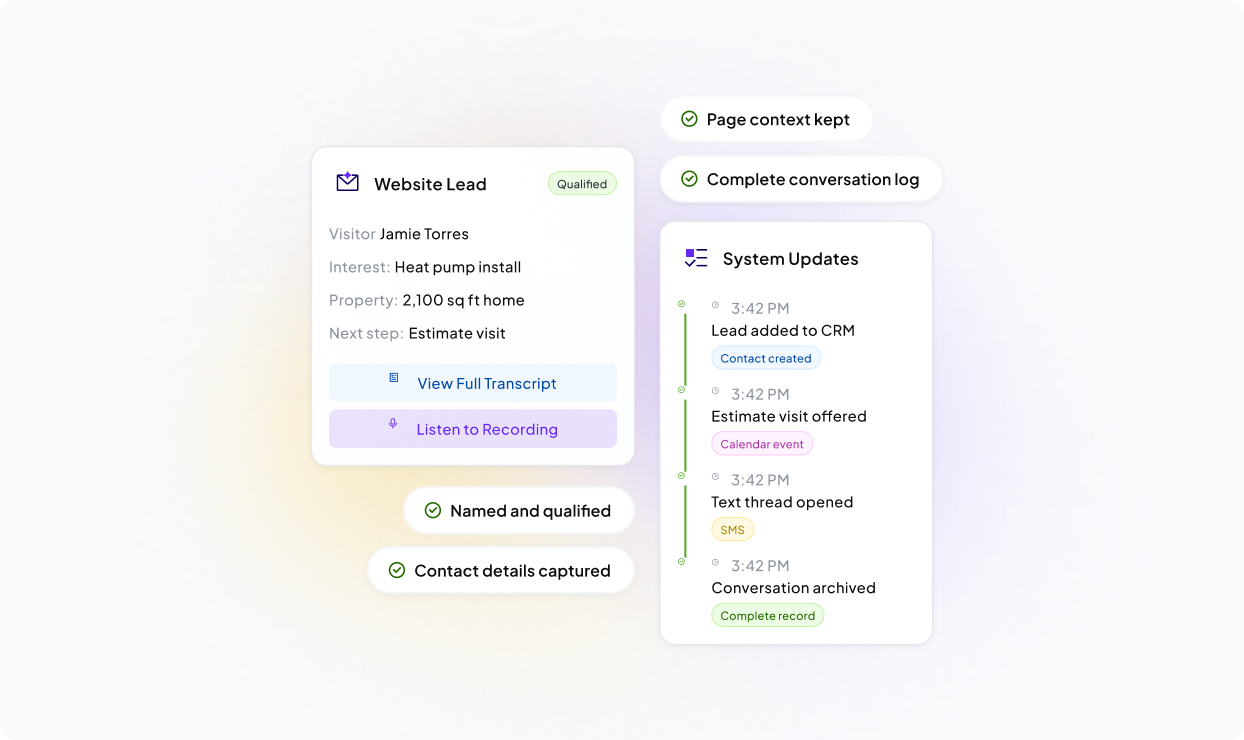
Iris does more than chat. It asks the qualifying questions and collects contact details and intent, so an anonymous click becomes a named, qualified lead. Sorting good-fit from browsing starts in the first exchange.
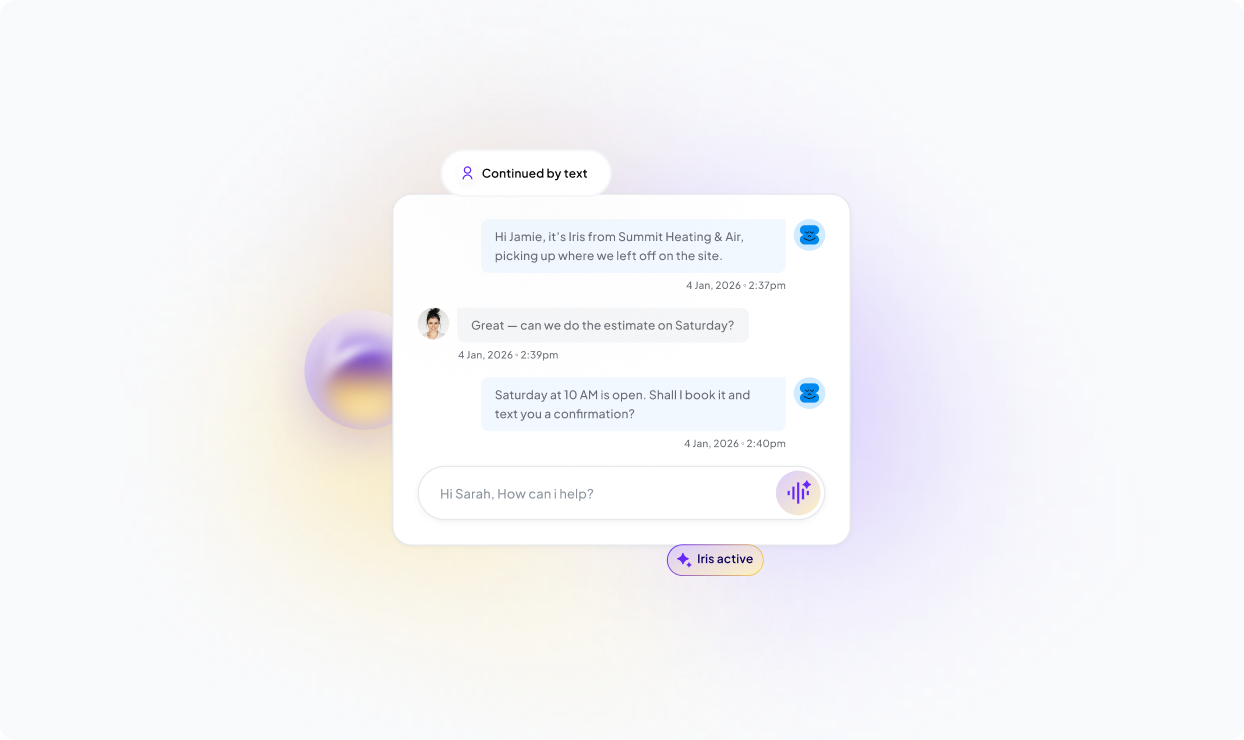
A visitor leaves the page, but the conversation does not stop. Iris continues the chat over text through AI SMS, and because web chat is one channel of the Iris AI receptionist front desk, the visitor gets the same answers whether they chat, call, or text.
Every chat is logged: who the visitor was, what they wanted, what happens next. That record feeds the Iris AI CRM instead of a chat tool nobody checks, already captured and documented.
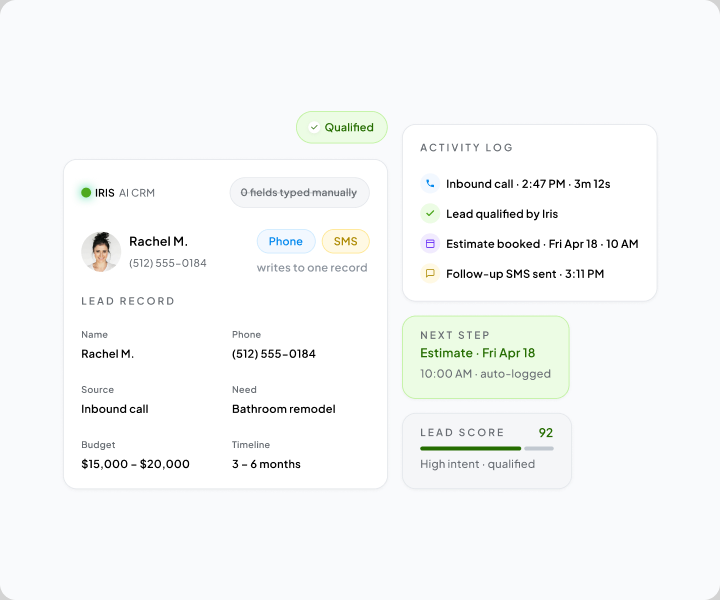
A captured visitor is only worth what
Your website is one of several doors into an AI growth system. The chat is how a stranger on a pricing page becomes a named record with intent attached, filed beside the people who called and the people who texted. Same shape, same context, one place to work from. Your team never reconciles a chat transcript against a call log against a text thread to work out whether three conversations were one buyer.
How Iris captures a website visitor in real time
No form to wait on. No human in a chat queue. Here is the loop, start to finish.
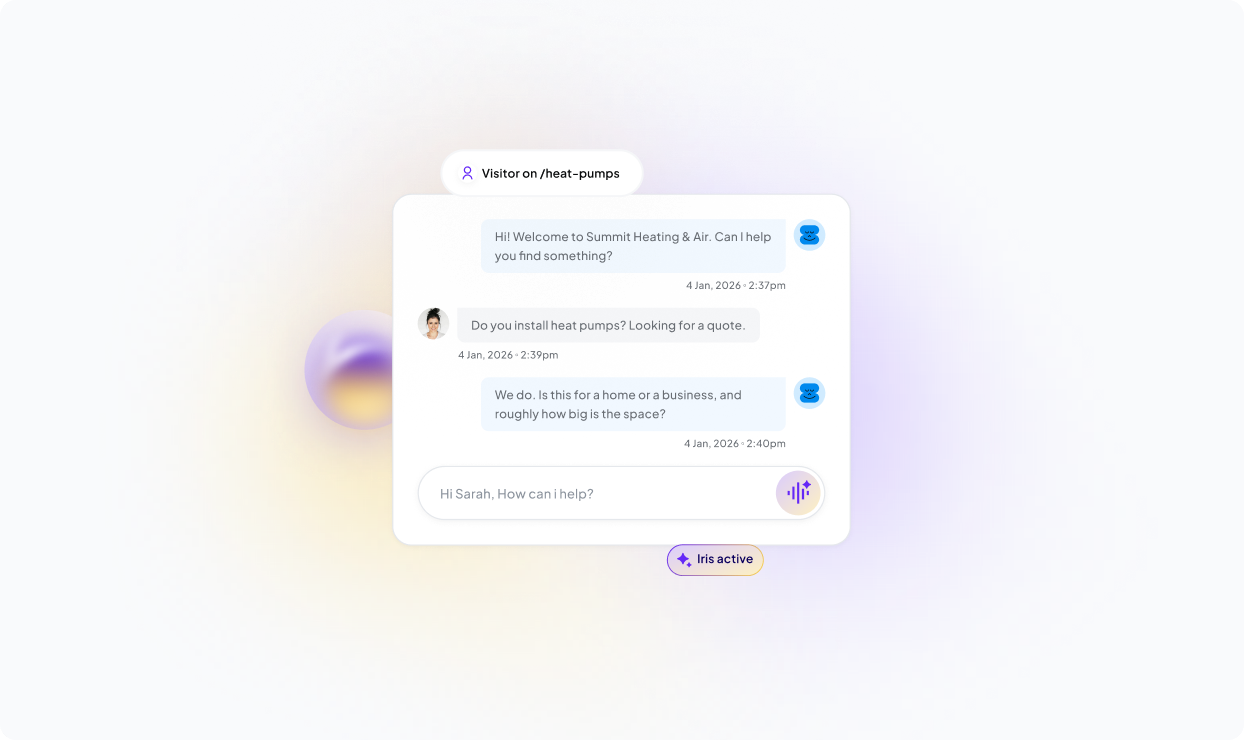
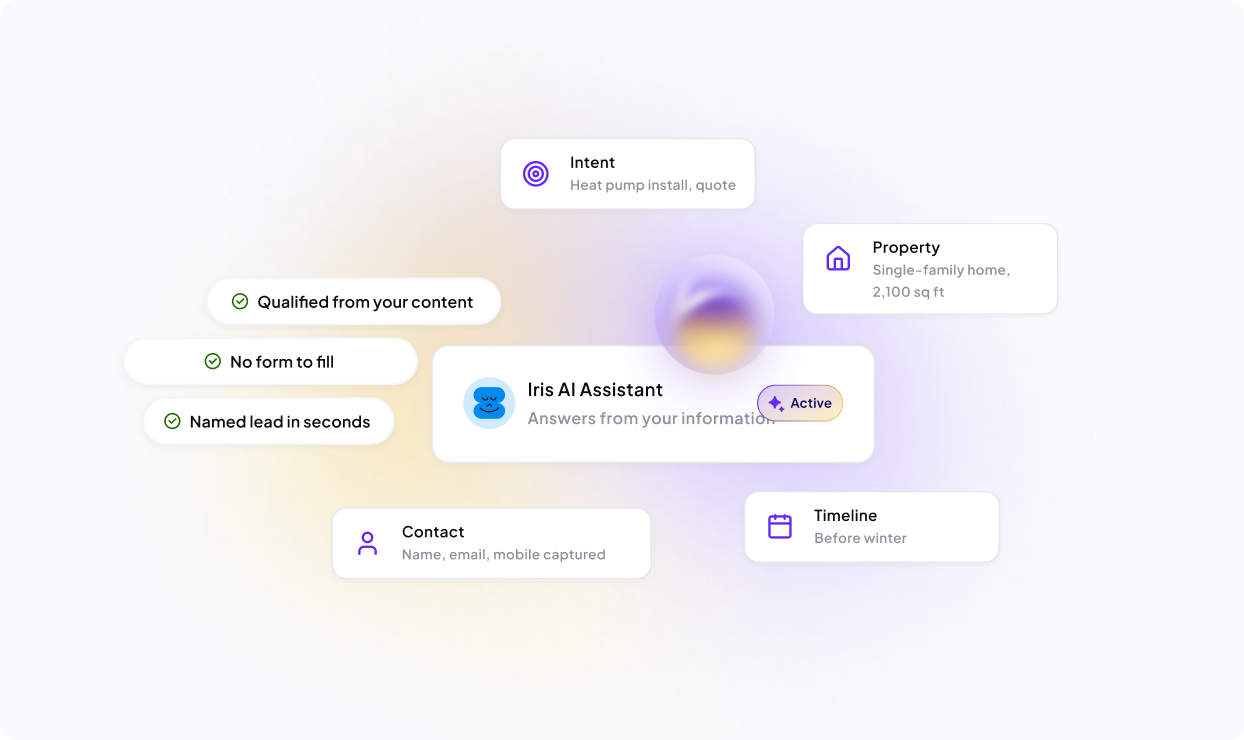
Why AI web chat beats the ways most sites
The difference is not how the chat box looks. It is whether the visitor gets a real answer when they ask, and whether that turns into a captured lead. The chat box is not the point. The captured lead is.
Where a chat tool usually goes wrong, and what we did instead
You have probably tried a chat tool or a form and watched it turn into noise. Iris is built to do the opposite: answer well, capture cleanly, stay in your control.
Iris chats like your business would, not like a help-desk macro. It answers in plain language from the information you give it, so visitors get a conversation that sounds like you.
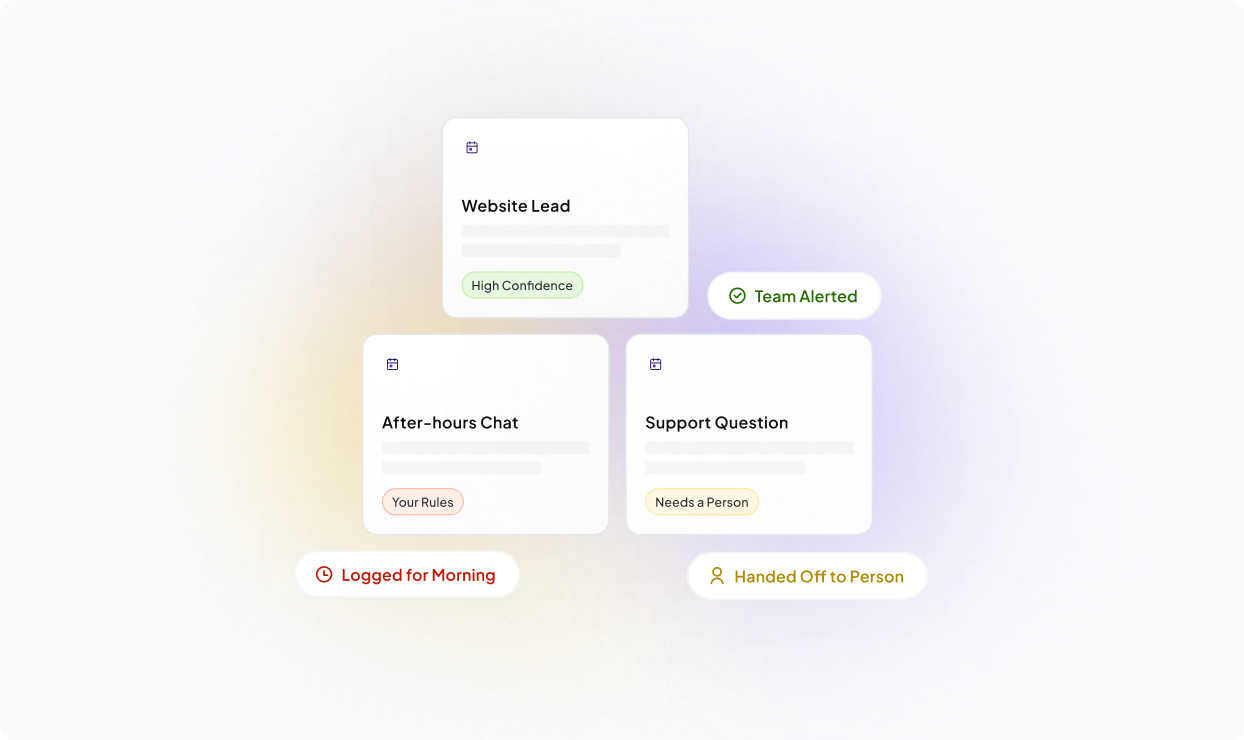
Iris answers from what you tell it. When a question goes past what it should handle, it captures the details, routes the visitor to a person, and lets your team take over. You decide what it can speak to.
You do not need an engineering team to turn Iris web chat on. It starts working quickly, so the capture layer earns its keep without a long technical project.
The conversations and leads Iris captures belong to you. You choose what the chat records and what it leaves alone. Speed of capture should never cost you control.

Built by dotfun.
Run Good normally builds this kind of automation one client at a time. AI web chat is that engineering aimed at your website: the capture layer, running on its own, so the highest-intent moment on your site never goes unanswered. Our Feel Good marketers argue about this number more than any other. The visitor who almost converted is worth more than the next click you pay for.
Sites that lose people in the
Iris web chat fits the teams that drive real traffic to a website and watch most of it leave without a word.

Owners with a website and no one watching it
You cannot watch a chat box while you run the business. Iris does. It answers the visitors you miss, qualifies them, and captures the lead, so traffic turns into booked work.

Service businesses judged on the first reply
When someone needs you, they check the site of the business that answers first. Iris makes sure that is you, day or night, and captures the visitor cleanly.

Founders paying for traffic that bounces
You know a fast first answer wins more deals. Iris makes that answer automatic, not a thing your small team chases. Captured demand, faster response, cleaner handoff.

Marketing and RevOps teams who own the traffic
Iris sits between the click you paid for and the qualified record you needed it to become. Paid and organic visits stop ending in a bounce nobody can put a name to.
Still deciding about AI web chat? Start here.
AI web chat is a chat experience on your website that talks to visitors automatically, instead of waiting for a human to type back. A basic widget collects an email or follows a scripted tree. AI web chat answers real questions in plain language, qualifies the visitor, and captures the lead on the spot. In a CRM context, it turns anonymous traffic into a qualified contact, not a bounce.
Iris opens the conversation the moment a visitor lands. It answers from the information you give it, qualifies them, and captures the lead. If the visitor leaves, the conversation can continue by text. Every chat is logged and your team gets notified. It is conversational capture, much like a modern live chat tool, but around the clock without a human in the queue.
Iris web chat automates the work between a visitor arriving and a lead getting handled. It greets, answers common questions, qualifies intent, collects contact details, captures the lead, routes, notifies, and logs the conversation. It can also continue over text after the visitor leaves. The highest-intent moment stops depending on whether someone was watching the chat box.
Web chat is one channel of the Iris front desk, not a standalone widget. The lead a visitor creates is logged into the Iris AI CRM, and the conversation can continue over text through AI SMS. Because chat shares the same front desk as the AI receptionist and AI calendar, a visitor gets consistent answers whether they chat, call, or text.
AI Web Chat belongs on sites that drive traffic and lose most of it to silent bounces. It fits small business owners, local-service businesses that depend on inbound demand, and growth-minded founders who care about website conversion. Marketing and RevOps teams who own inbound capture put it between the click they paid for and the qualified record they need.
No on both counts, by design. Iris chats in your business's voice, not canned buttons, and answers from the information you give it, not invented facts. When a question goes past what it should handle, it captures the details, routes the visitor to a person, and lets your team take over. You decide what it can speak to.
No. You do not need an engineering team to turn it on. Iris web chat starts working on your website quickly, so the capture layer earns at the front of your funnel without a long technical project.
The conversations and leads Iris captures belong to you. Iris is built to handle visitor and customer data responsibly and keep your records protected, and you stay in control of what it logs. Speed of capture should never cost you control of your information.