 Zachary D. Perl






Categories
- AI
- Digital Marketing


Your website is not quiet. It is full of people asking questions you cannot hear, comparing you against someone else, and deciding whether your business feels fast enough to trust.
Most of them leave.
That is the part teams miss. They treat chat like a support widget. A little bubble in the corner. A nice feature for people who do not want to fill out a form. But for small businesses, chat is usually not about support first. It is about capturing the moment before it disappears.
An AI chatbot for business can help. An AI chatbot for small business can also make your customer experience worse if you give it the wrong job.
That is the whole decision.
What an AI chatbot should actually do for a business
An AI chatbot for business is a first-response system that answers common questions, collects context, qualifies intent, and moves a visitor toward the right next step. That next step might be a booking, quote request, callback, product answer, or handoff to a person.
That sounds simple.
It is not always simple in practice, because most chatbot projects start with the tool instead of the problem. Someone asks, “Should we add chat?” when the better question is, “Where are customers getting stuck before they talk to us?”
I would start there.
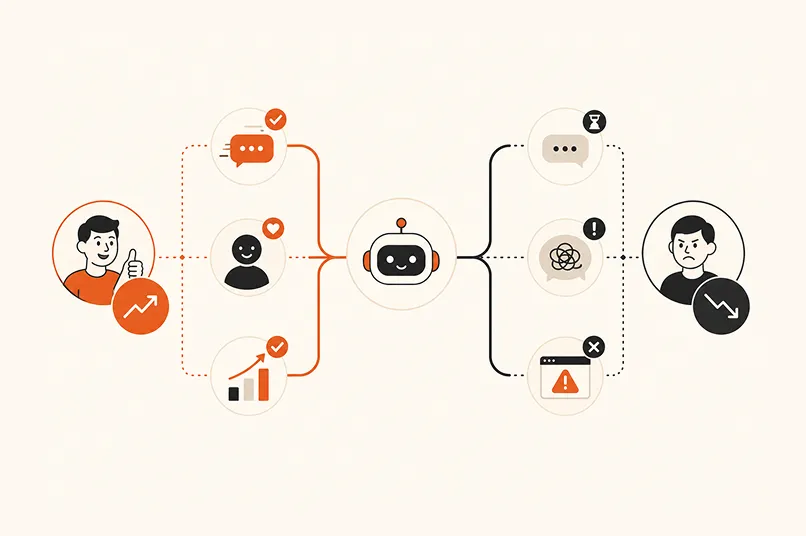
A good chat system has a narrow job. It uses approved content, a clean knowledge base, and a clear path to a person. It does not try to become your whole sales team. It does not pretend to know answers that your business has not approved. It does not trap people inside a conversation when they are clearly asking for a person.
Bad chat performs. Good chat helps.
For Iris, this is the core distinction. Chat is one entry point into the growth system. Calls, texts, website conversations, routing, notifications, and CRM logging all need to work together. If your chat captures a lead but your team sees it tomorrow, you did not fix the leak. You moved it.
And customers notice leaks.
Zendesk’s CX Trends 2026 report says 74% of consumers now expect customer service to be available 24/7, and 88% expect faster response times than they did a year ago. You do not need to overread that data. The lesson is plain: people expect a real answer faster than most small teams can provide manually.
That is where chat earns its keep.
Where chat helps growth
The best use case is not “answer everything.” It is “answer the next question well enough to keep the conversation moving.” That is a smaller job. It is also a more useful one.
A visitor lands on your site after seeing an ad. They want to know if you serve their area, whether you handle their problem, how scheduling works, what happens next, or whether someone can contact them today. If your only path is a form, you are asking that person to commit before you have reduced any uncertainty.
Chat changes the order.
Instead of forcing the visitor to decide alone, your business can respond in the moment. The chat can answer basic questions, ask what brought them in, collect contact details, and route the conversation based on intent. If the person is ready, it can push toward booking. If the person needs help, it can notify your team.
That is why AI web chat works best as a lead capture layer. It is not there to entertain visitors. It is there to catch useful demand before the form loses it.
This matters most when the buyer is impatient. Home services, legal intake, healthcare-adjacent scheduling, real estate, financial services, consulting, local B2B services — every one of these categories has moments where the first clear response wins the next step.
You do not need a giant team for that.
You need coverage.
The same logic applies to calls. If your phone is the main demand channel, an AI answering service might be the better first move. If your website has traffic but weak form conversion, chat may be the bigger leak. If you have both problems, you probably need the channels to share the same intake logic.
That is the part most businesses miss. Chat is not a separate toy. It is one door into your front office.
Where chat creates friction
Now the bad news. A chatbot can make things worse.
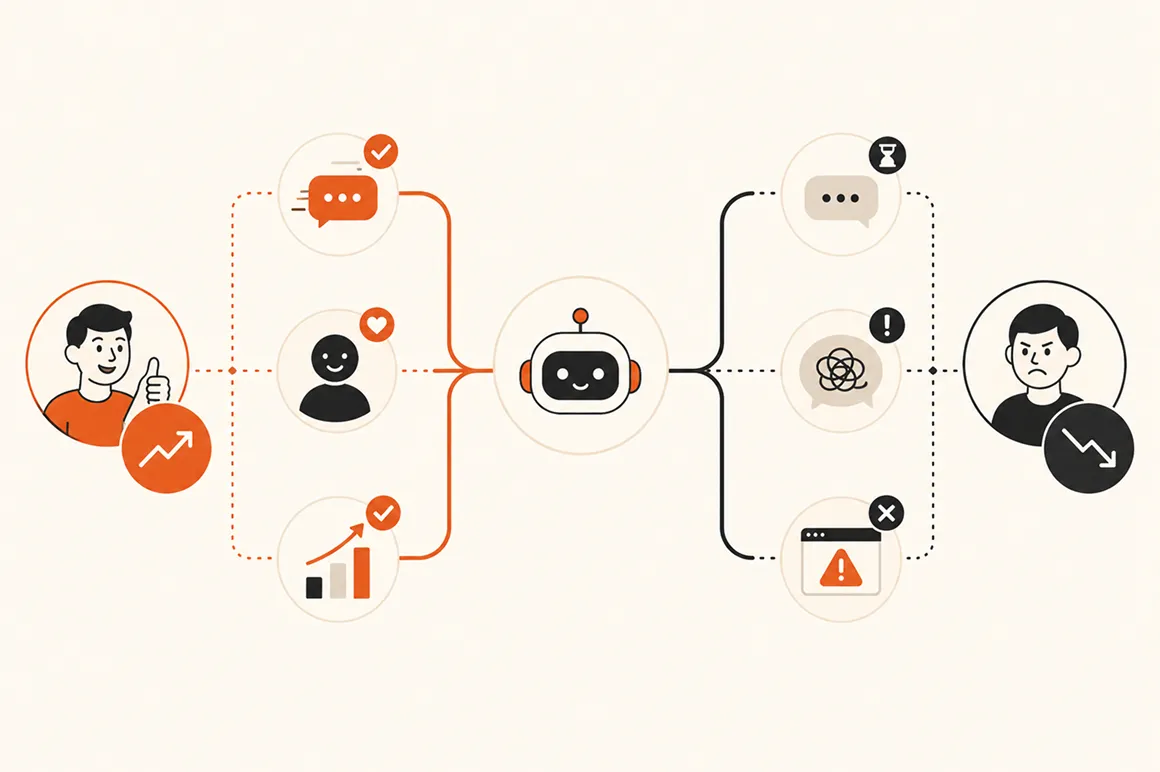
It happens when the bot becomes a wall. The customer asks a direct question. The bot answers vaguely. The customer asks for a person. The bot loops. The customer leaves annoyed, and your team never sees the conversation that caused the problem.
That is not automation.
That is hiding failure.
The risk is highest when businesses automate judgment instead of intake. A chatbot should not make promises about pricing, timelines, eligibility, legal advice, medical advice, refunds, or anything else that requires human review unless your team has approved that exact logic. It should not improvise policy. It should not push a customer through a path that makes no sense for their situation.
And it should not pretend confidence.
This is where human handoff matters. A good system knows when to stop. It collects the right context, labels the conversation, and sends it to the right person with enough detail for useful follow-up. That is not a weakness in the automation. That is the control layer that keeps trust intact.
Salesforce’s State of Service report is useful here because it is based on input from 5,500+ service professionals. The direction is clear: AI is changing service work, but the operating model still has to combine data, people, and process. The tool alone does not solve the customer experience.
Your chatbot is only as good as the system behind it.
If your team does not know who owns chat conversations, what counts as qualified, how fast follow-up should happen, or where the data goes, you are not ready to scale chat. You are ready to create another inbox.
And you probably have enough inboxes.
The right first job for a small business chatbot
Start with one broken moment. Not five. One.
Maybe visitors ask the same questions before booking. Maybe you miss after-hours quote requests. Maybe your team spends too much time answering basic availability questions. Maybe your forms get traffic but not submissions. Maybe people start chats and disappear because nobody answers quickly enough.
Pick the moment with money behind it.
That is the first job for an AI chatbot for business. It should have a defined purpose, approved source material, and a clear finish line. The finish line might be “book an appointment,” “send a quote request,” “route to sales,” “notify the owner,” or “log the lead with enough context for follow-up.”
Notice what is missing from that list.
“Sound human” is not the job. “Use AI” is not the job. “Reduce headcount” is not the job. The job is to improve the path between customer intent and business response.
For most small businesses, the first useful chatbot flow looks like this: answer the common question, ask one qualifying question, capture contact information, set the next expectation, and alert the right human. That is it.
Simple wins.
You can add more later. You can compare chatbot solutions, review starting cost, try a no-code builder, or connect scheduling. You can add SMS follow-up. You can route by service type, location, lead value, or urgency. But if the first flow does not work, the rest becomes decoration.
This is the same reason missed call text back works. It solves a specific gap. Someone called. Nobody answered. The business responds by text before the lead goes cold. The workflow is narrow, which is why it works.
Chat should earn the same discipline.
What to measure before you call it ROI
ROI is not a feeling. It is not “we added chat and people used it.” You need a baseline, a few clear measures, and enough discipline to separate activity from progress.
Start with captured conversations. How many visitors used chat who would otherwise have bounced or filled out nothing? Then look at qualified leads. How many of those conversations included a real need, contact details, and a next step your team can act on?
Then measure response speed.
Harvard Business Review’s lead response research made the old lesson hard to ignore: online leads get cold fast when companies wait too long. The exact number will vary by category, but the principle holds. The faster your business responds to real intent, the better your odds of continuing the conversation.
So measure the handoff. Did the right person get notified? Did the CRM record the conversation? Did the visitor receive a clear expectation? Did someone follow up before the need passed?
That is where we usually find the real problem.
A chatbot can create more leads and still fail the business if those leads sit untouched. It can answer questions and still fail if none of the answers guide the visitor to a next step. It can produce a beautiful dashboard and still fail if the owner cannot tell which conversations turned into revenue.
HubSpot’s AI statistics report notes that 26% of B2B marketers using chatbots in marketing programs reported a 10% to 20% increase in lead generation volume. That is useful. But volume is only the first layer. You still need to know whether the extra conversations were real opportunities or just more noise.
That is why your scorecard should include:
- captured conversations
- qualified lead rate
- booked appointment rate
- human handoff rate
- time to first response
- time to human follow-up
- CRM completion rate
- revenue or pipeline tied to chat-sourced leads
You do not need a fancy model on day one. You need enough data, reporting, and source clarity to know whether chat is making the customer path better.
How Iris fits into the front-office system
Iris is not built around the idea that every customer should talk to a bot forever. That would be silly. It is built around a more practical belief: small businesses lose money when demand arrives faster than the team can respond.
Chat is one part of that problem.
Calls are another. Texts are another. Web forms are another. CRM notes, routing, and owner notifications are another. If those pieces do not connect, your customer experience depends on who happened to notice which inbox at the right time.
That is fragile.
With Iris, the goal is to capture demand, qualify it, route it, and follow up without asking your team to live inside every channel all day. That can matter even more for multi-location teams, where every location needs the same response standard. A visitor can ask a question on your site. A caller can reach the business after hours. A lead can receive a text follow-up. Your team can get the context they need instead of a vague notification that says “new inquiry.”
That is the front-office layer.
It does not remove humans. It gives humans better starting points. If a person needs judgment, the system should bring a person in. If the question is simple, the system should answer. If the lead is ready, the system should move fast.
This is how we think about business automation at dotfun. Automate the repetitive parts. Keep the judgment where it belongs. Make the handoff visible enough that nobody has to guess what happened.
An AI phone answering service with CRM handoff follows the same pattern. The value is not just that the phone gets answered. The value is that the conversation becomes usable business context.
Your chat should do the same.
The practical decision
If your site gets traffic, your team misses questions, or your form conversion is weak, chat deserves a serious look. If your business depends on appointments, quotes, consultations, or local-service requests, the case gets stronger.
But do not add chat because AI is fashionable.
Add it because you have a specific response gap. Add it because you know what the first flow should do. Add it because your team has a plan for handoff, follow-up, and measurement. If you cannot name those things yet, wait. Fix the operating model first.
An AI chatbot for business works when it shortens the distance between customer intent and the next right action. It fails when it becomes another layer between the customer and help.
That distance is the whole game.
Frequently asked questions
What can an AI chatbot do for a business?
An AI chatbot can answer common questions, qualify website visitors, collect contact details, book appointments, route requests, and notify your team when a person needs to step in. The best use case is not replacing your staff. It is giving your business a faster first response when customers arrive through your website and need a clear next step.
What should not be automated in chat?
Do not automate decisions that require human judgment, sensitive advice, custom pricing, legal or medical guidance, complex refunds, or anything your business has not approved as source material. Your chat should be allowed to say, “A person should handle this.” That handoff protects trust and keeps the system from pretending it knows more than it does.
How do chatbots capture leads?
Chatbots capture leads by starting a conversation before the visitor fills out a form. They can ask what the person needs, confirm basic fit, collect contact information, and route the request to booking, callback, quote, or sales follow-up. The lead is only useful if the handoff works. Otherwise, you just created another place for demand to get stuck.
How do you measure chatbot ROI?
Measure chatbot ROI by comparing captured conversations, qualified leads, booked appointments, follow-up speed, and revenue from chat-sourced opportunities against your baseline before chat. Do not stop at conversation count. A busy chatbot is not always a valuable chatbot. The real question is whether it creates more qualified opportunities with faster response and cleaner handoff.
Is an AI chatbot enough on its own?
Usually, no. Chat is one channel. Your customers may still call, text, email, or submit forms. If those channels do not connect, your team still has a fragmented front office. Chat works best as part of a larger response system that includes AI reception, SMS follow-up, CRM logging, routing, and clear human ownership.